






We love supporting your photography business, and we’re excited to offer you even more. We’ve been hard at work strengthening our backend foundation to deliver faster, more seamless updates. With that foundation in place, we saw a perfect opportunity to reimagine your experience and build a dashboard that works exactly the way you do.
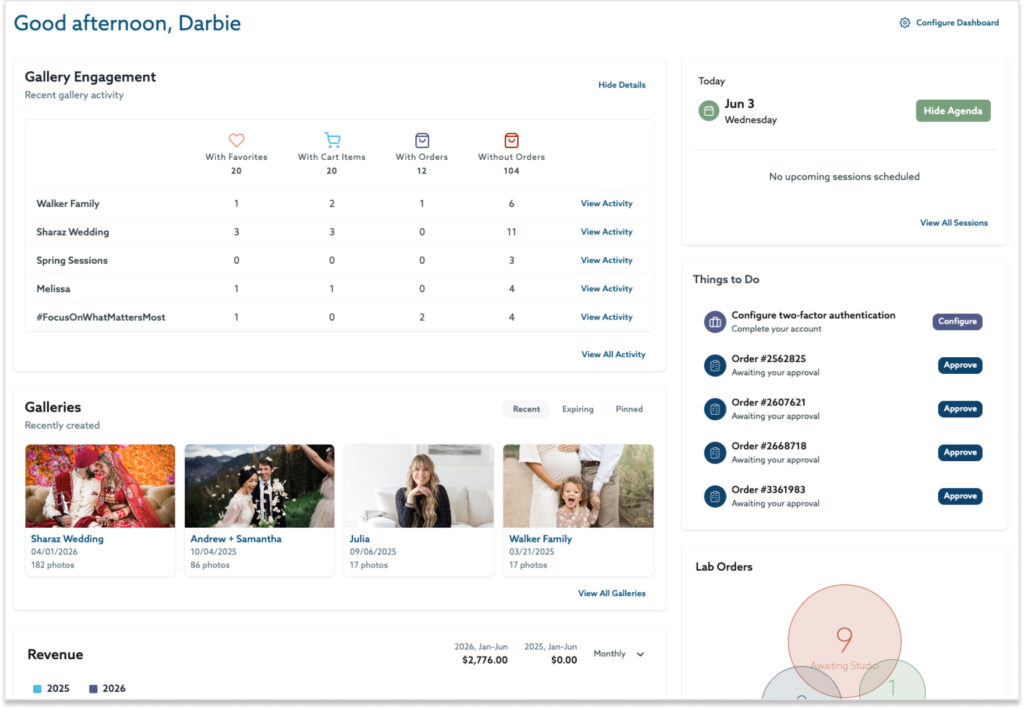
Here’s what’s new.
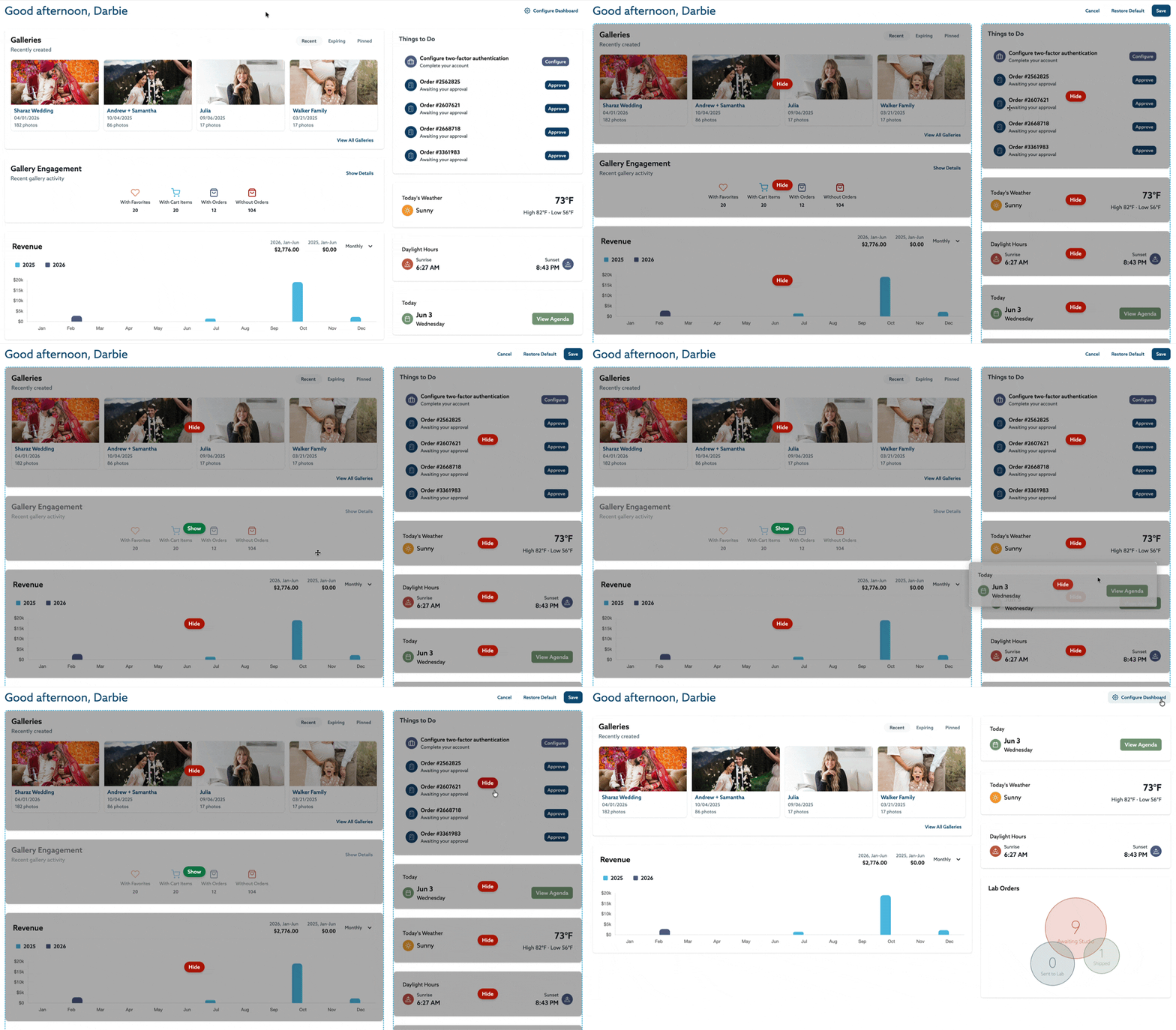
It’s Yours Now — Customize Everything
The biggest change? Your dashboard is customizable. Show the tiles that matter to your business, hide the ones that don’t, and rearrange everything until the layout makes sense for you.
Wedding photographers and newborn photographers and commercial studio owners all run their days differently. Your dashboard should reflect that — and now it does.
Things to Do
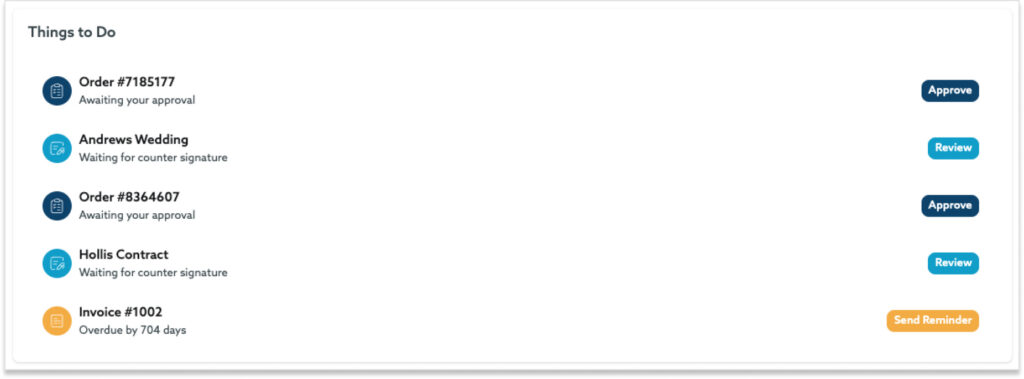
This one might be our favorite. The Things to Do tile collects everything that’s waiting on you and surfaces it in one place:
- Contracts needing your counter-signature
- Overdue invoices
- Booking sessions waiting for confirmation
- Orders pending your approval
The Things to Do tile centralizes your most important tasks, keeping everything organized and easy to track at a glance. Whether it’s contracts, invoices, or booking confirmations, you can stay on top of your business needs seamlessly, right from your dashboard.
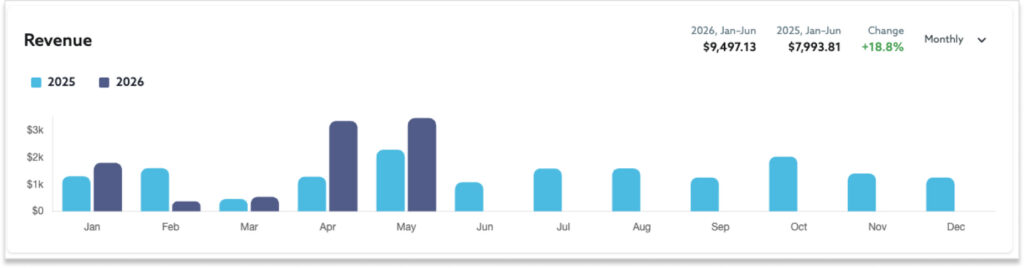
Smart Revenue Insights
The new revenue report is designed to give you a clear picture of your business performance at a glance. See your monthly, YoY, and annual view — all from your dashboard

Weather + Daylight Hours
Checking sunset times and weather conditions shouldn’t require opening separate apps before a session. Now it doesn’t. Your outdoor clients will notice the difference, even if they can’t quite put their finger on why you seem so prepared.
Everything Else That’s New
We didn’t stop there. The updated dashboard tiles also include:
- Date & Agenda — to see your upcoming sessions
- Gallery — quick access to recent, expiring, and pinned galleries
- Gallery Engagement — see which galleries your clients are obsessing over without leaving your home screen
To simplify and streamline your experience, we’ve upgraded the Notifications menu that you can find on every page of your account at the top right of your screen, and removed the Notifications dashboard tile. This menu now shows you 50 notifications in a scrollable box (instead of the previous 5).
Built to Keep Getting Better
You’ll also notice helpful guides and feature announcements surfacing right inside your dashboard as we continue rolling out updates.
Your new dashboard is live in your account right now. Log in, move some tiles around, and make it yours!
This is just the beginning of what we’re building — and we’re really glad you’re here for it.
The ShootProof Team
The post Your Dashboard, Evolved. A More Personalized Experience. appeared first on ShootProof.