






Running a photography business is a lot. Booking just got better at having your back.
Four new features that’ll make your life easier (and your wallet happier):
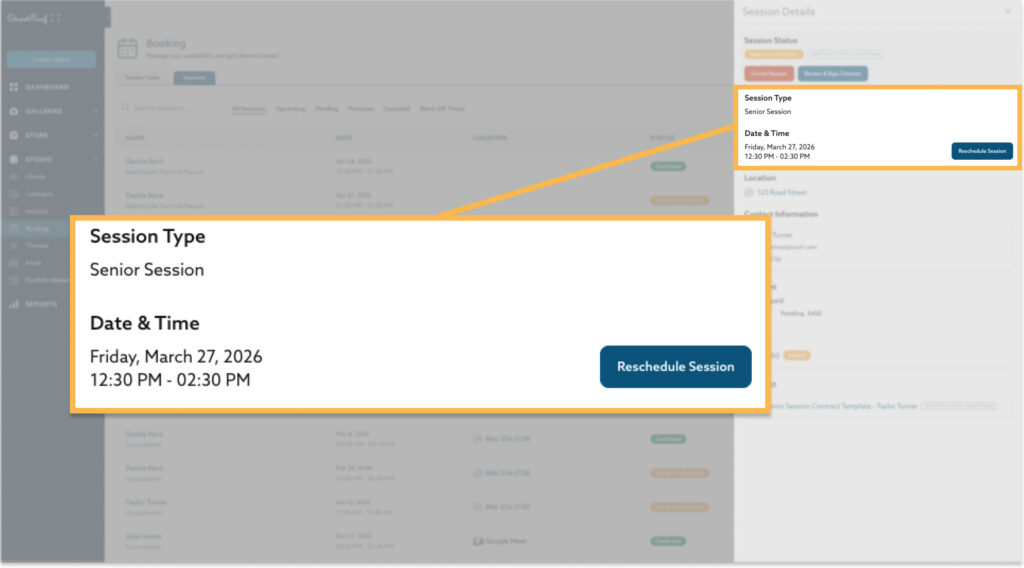
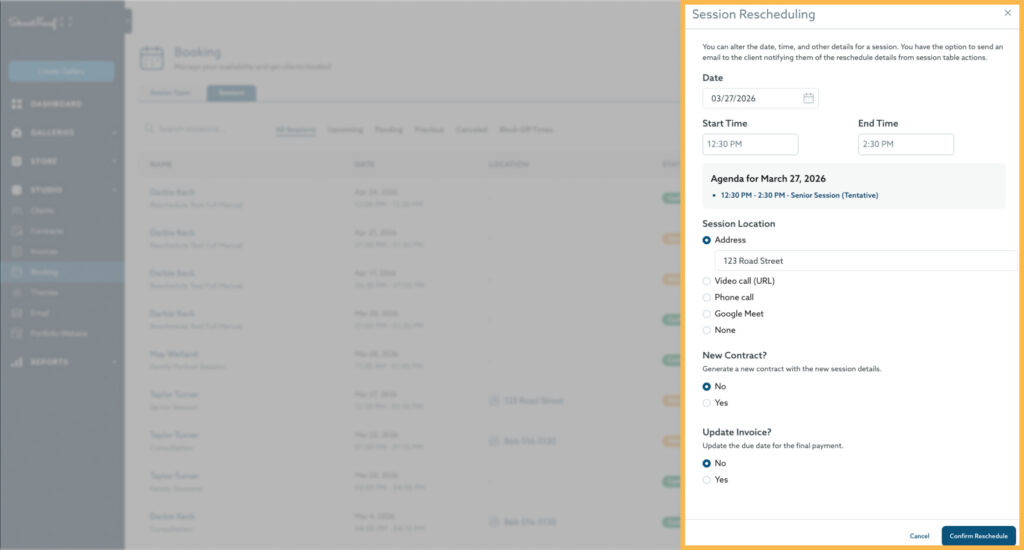
1. Reschedule sessions in just a few clicks
Life happens. Weather doesn’t cooperate. Your kid gets sick. A client needs to move their session. You know the drill, and now you can handle it without leaving ShootProof. Reschedule booked sessions, update the session duration, invoice, contract, and location, and notify your client without missing a beat.
2. Let clients tip you during booking (and pay no commission)
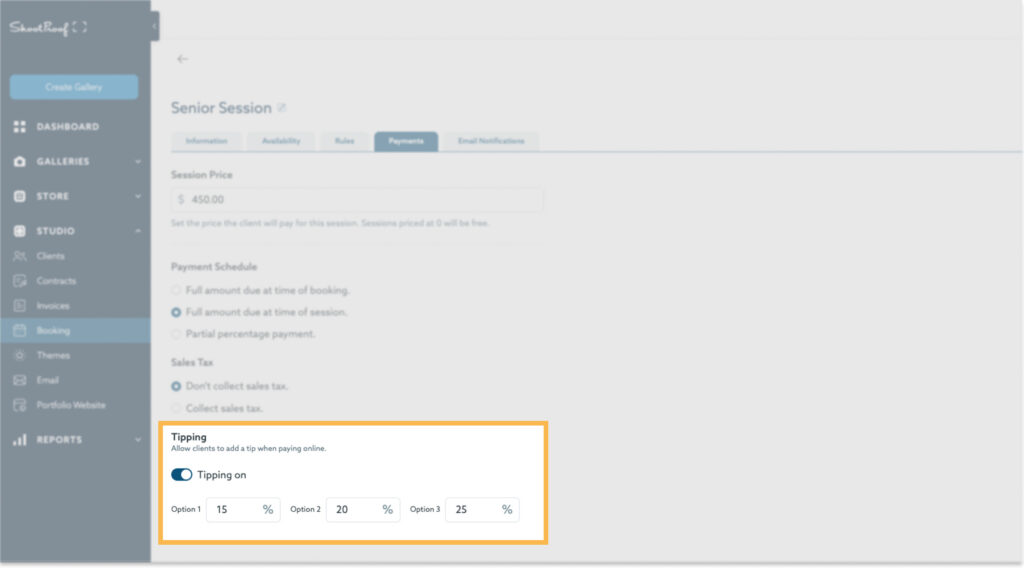
Sometimes clients just want to say “you’re amazing” with their wallets, and now they can do it right at booking. Tipping is completely optional and totally up to them. But when it happens, you pay zero commission, as always.
ShootProof photographers are averaging $59.20 per tip. For doing what you already do best. Just enable it in your settings and let it work for you.
3. Email clients manually when you need to
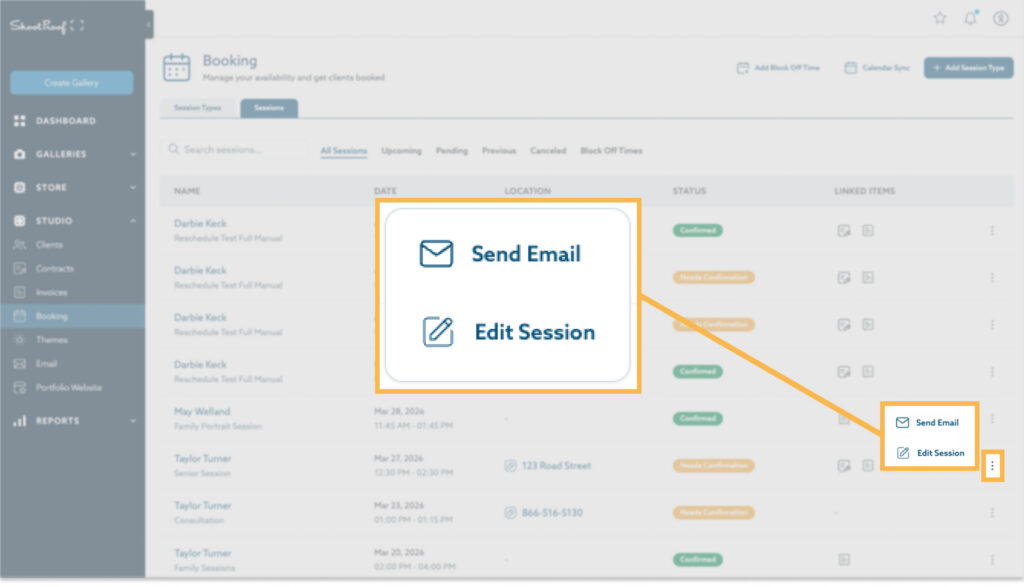
Automated emails are great – until you need to send a last-minute “the park is flooded, meet me here instead” message. Now you can send a quick manual email directly from within your client’s booked session. No digging for their contact info, no switching apps. One click, done, back to your day.
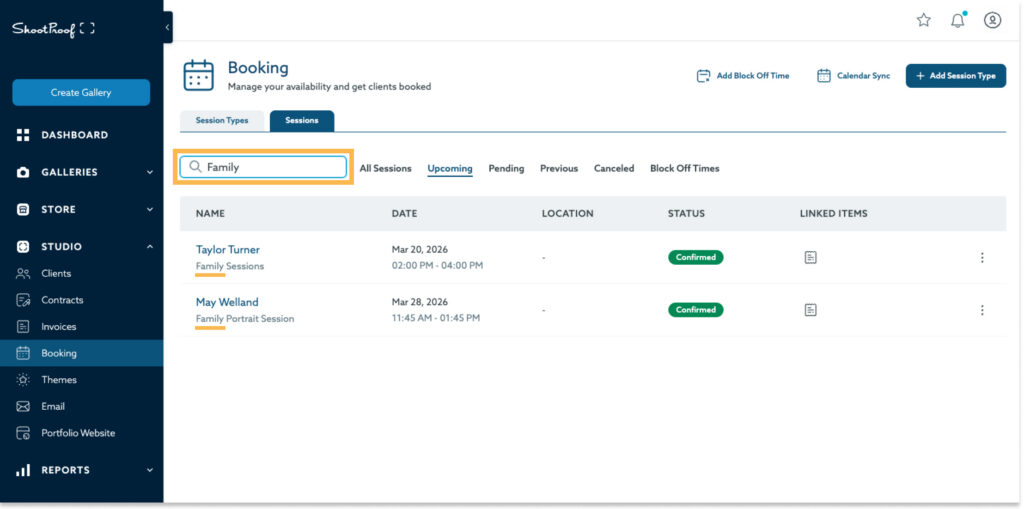
4. Search your sessions list
Finding one session shouldn’t feel like finding a needle in a haystack. Search by contact details, date, or session type and find what you need in seconds!
Ready to try these features?
Already using Booking? All four updates are live now. Check out what’s new in your account.
Not using Booking yet? Try it FREE for 30 days and see how it streamlines your session management.
The post Booking Just Got Better: Reschedule Sessions, Accept Tips, Email Clients, and Quickly Find What You’re Looking For appeared first on ShootProof.